Booking
Log in
Go to ysgolllanfairpwll.schoolcloud.co.uk. Enter your title, name and email, then your child's name and date of birth, and press Log In. The English / Cymraeg switch sits at the bottom of the page.
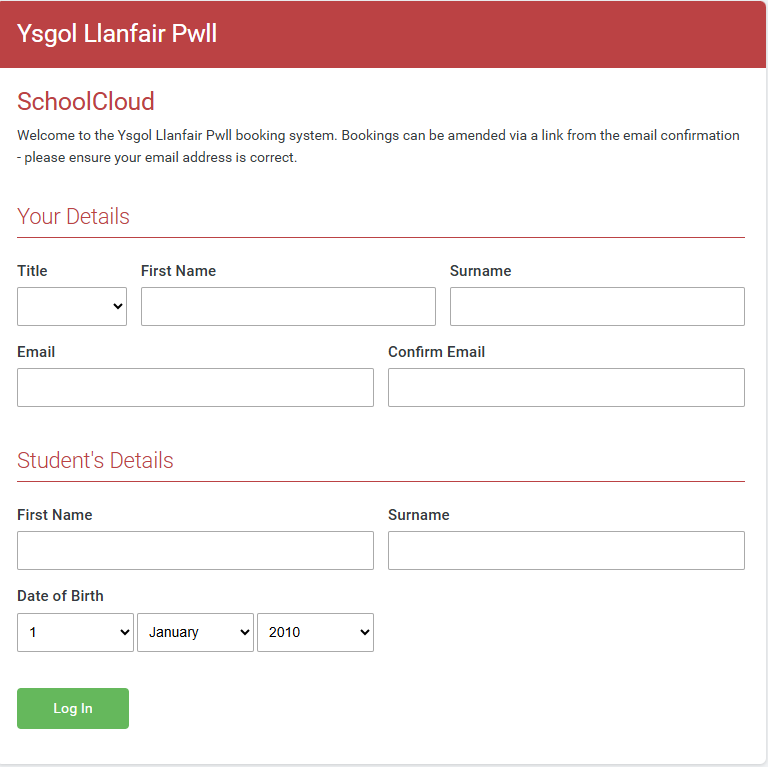
Trouble logging in? Your details need to match the school's records.
- Title: this causes most failed logins. If Miss or Mrs does not work, please try Ms.
- Email: if your current address does not work, try the email you gave the school when your child first joined.
- If neither works, please contact the school office.
Choose the date
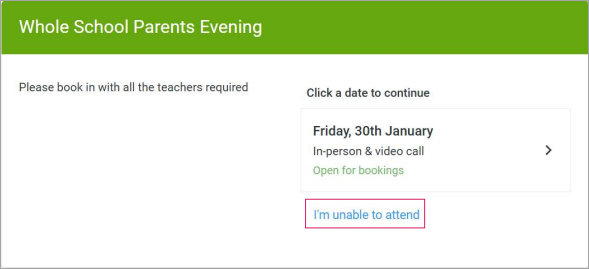
Click the date of the parents' evening.
Choose how to book
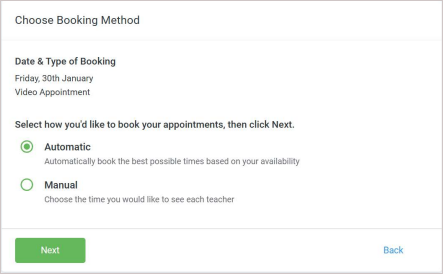
Choose Automatic and the system picks the best time for you. This is the easiest option on a phone. Choose Manual to pick the time yourself. Then press Next.
Choose the teacher and accept the time
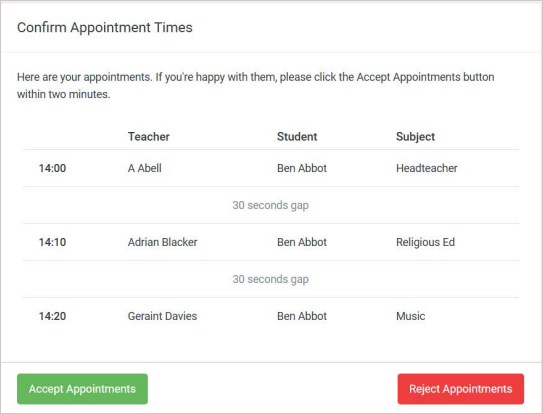
Choose your child's class teacher. If you have more than one child in school, choose each child's teacher. When the times appear, press Accept Appointments within two minutes. You will receive a confirmation email.
Check your booking
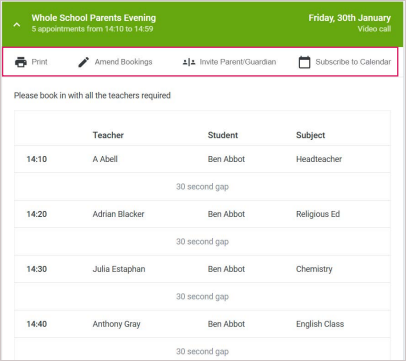
Your appointments appear under My Bookings. From here, press Invite Parent/Guardian to add a second parent to the same call, or Amend Bookings to change the time while booking is open.
On the evening
Open your confirmation email
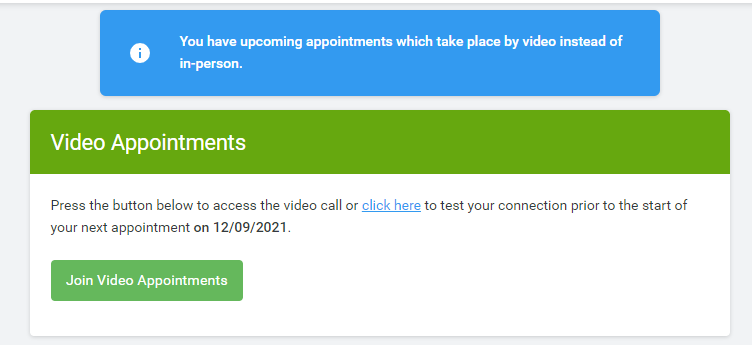
Click the login link at the bottom of the email, then press the green Join Video Appointments button. The click here link on the same screen lets you test your camera and microphone before the evening. A phone works best, and headphones cut down echo.
Allow the camera and microphone
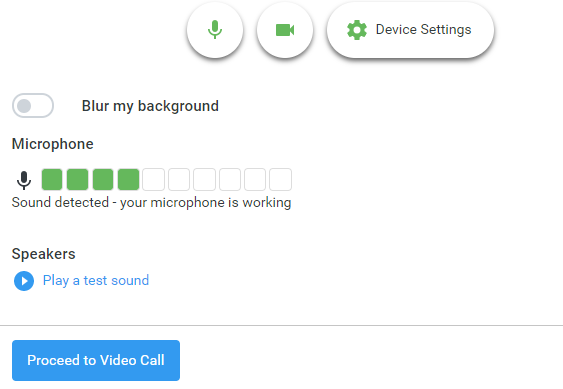
When your browser asks, allow the camera and microphone. Speak to check the microphone bar moves, then press Proceed to Video Call.
Start the appointment
Press Start Appointment. The timer starts at your booked time, not when you join, and the call ends at the scheduled time. We would be grateful if you could join a few minutes early.